Built-in Chrome AI: making the assistant remember the conversation
·
This post describes an experimental version of Chrome's built-in AI from 2024 (window.ai, Chrome 128 Canary and Dev). That API has since been replaced and now keeps the conversation context on its own. It is kept here as a record. For current code, see the Prompt API documentation.
Skip to "The solution" if you are in a hurry.
Chrome recently launched, for developers and enthusiasts, a built-in version of Gemini: an offline assistant running on your own machine.
To use this API, make sure you have a compatible version of Chrome (Canary or Dev, version 128 or later). Download one of these:
Once it is installed, go to chrome://flags (type it in the address bar) and set:
- Enables optimization guide on device to Enabled BypassPerfRequirement;
- Prompt API for Gemini Nano to Enabled.
Then relaunch Chrome and go to chrome://components. You should see a component called Optimization Guide On Device Model. Download it (around 1.5 GB, so mind your data plan).
If it does not show up, press F12, open the console and type:
await window.ai.createTextSession()Press Enter, and the Optimization Guide On Device Model should appear in the components list. Relaunch Chrome once more and, if all is well, the AI is ready to use.
Setting up the basics
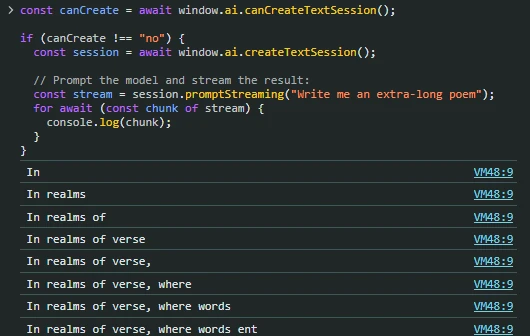
Before making the local Gemini Nano remember the conversation, set up a quick proof that it works. Paste this into the console:
const canCreate = await window.ai.canCreateTextSession();

if (canCreate !== "no") {
  const session = await window.ai.createTextSession();

  // Prompt the model and stream the result:
  const stream = session.promptStreaming("Write me an extra-long poem");
  for await (const chunk of stream) {
    console.log(chunk);
  }
}
The problem to solve is that if you ask the AI about the earlier conversation, even within the same session, it cannot answer. It does not keep the context.
Here is an example on the Vercel app:
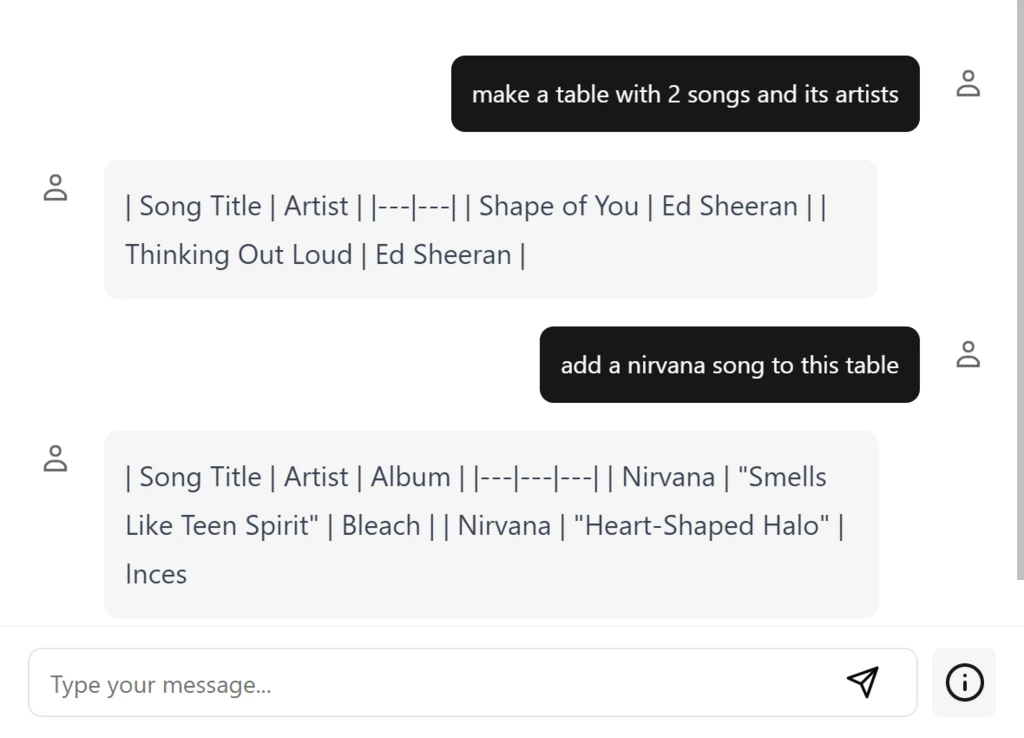
As you can see, it forgot the previous table and made up a new one out of thin air. Not what we want, so let us fix it.
Making Gemini remember the previous messages
The research
You can give the built-in AI some context through the prompt itself. Unlike parameters such as temperature and top-k, which are set when the session is created, context is fed in with each user input.
There is a special control sequence that lets us provide it. In the official documentation at the time, its purpose was to help the model understand rounds of simulated interaction, a way to steer it towards a desired output.
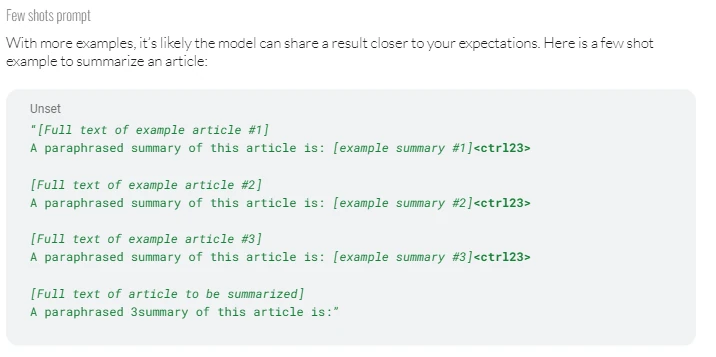
As you can see, it says little about context. But I had a hunch that this could be stretched, and with some research into how Gemini works internally I found a way to make the model behave as if it had context.
The solution
For every prompt except the first, pass the prompt function a string shaped like this:
`${allPreviousMessages} <ctrl23> ${currentPrompt}`That is: the previous messages separated by line breaks, then the special control sequence (literally the string <ctrl23>, not some exotic Unicode symbol), then the current prompt. The result is an AI that is aware of its context:
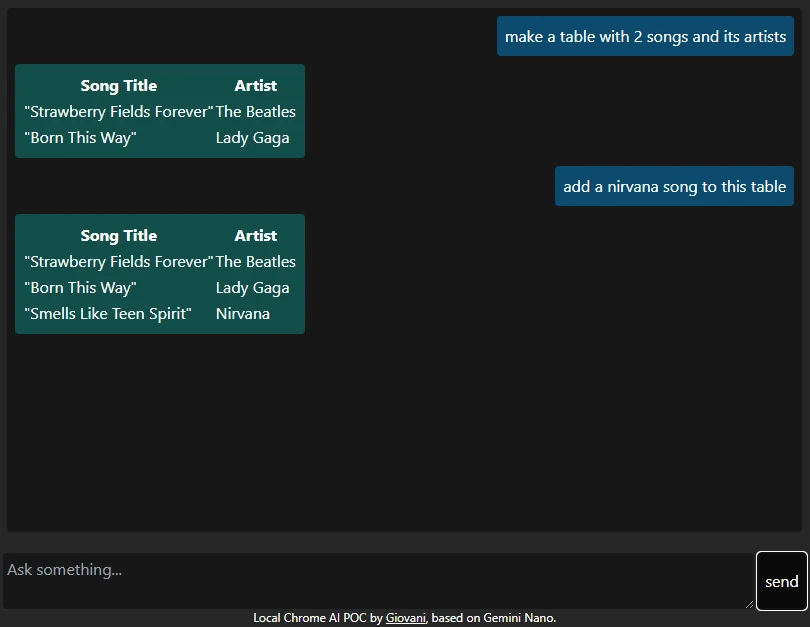
You can try it yourself here.
Keep the prompt size in check for good results: prompts thousands of characters long may break the model.
If you are wondering what the prompts look like, here is the first one:
make a table with 2 songs and its artistsHere is the second:
make a table with 2 songs and its artists

| Song Title | Artist |
|---|---|
| "Strawberry Fields Forever" | The Beatles |
| "Born This Way" | Lady Gaga |

<ctrl23>
add a nirvana song to this table
And with a third prompt it becomes:
make a table with 2 songs and its artists

| Song Title | Artist |
|---|---|
| "Strawberry Fields Forever" | The Beatles |
| "Born This Way" | Lady Gaga |

add a nirvana song to this table

| Song Title | Artist |
|---|---|
| "Strawberry Fields Forever" | The Beatles |
| "Born This Way" | Lady Gaga |
| "Smells Like Teen Spirit" | Nirvana |

<ctrl23>
What are the four seasons?
The prompt keeps growing up to the 4,096-character limit given in the documentation. Personally I would not go beyond 1,000. A 2,552-character poem broke the model, and getting it working again was a bit of a chore. That may also have been my old laptop's fault.
That's all, folks
The repository for the context-aware version is on GitHub. Leave it a star if you enjoyed this.
- My Chrome app: dlgiovani.github.io/chrome-ai-webapp
- Vercel app: ai-sdk-chrome-ai.vercel.app
- Repository: github.com/dlgiovani/chrome-ai-webapp
Outside the Journal, my work is integration and automation between CRM, ERP and management platforms, for companies in Portugal and across the EU. See my previous work or get in touch.