Integration between the property management system and the insurance broker
An application connecting Properfy, where the agency manages its tenancies, to the Grazon API, the broker that issues the cover. Both sides can finally be seen side by side, and quotes stop being produced outside the system.
The problem
The fire cover attached to a tenancy lives in two places at once. The contract and the property sit in Properfy. The policy, the quote and the premium sit with the broker. There was no link between them, and so no way to answer simple questions: how many active tenancies have no cover, which policies exist at the broker with no matching contract, and where the amounts disagree.
To request a new quote, someone copied the tenant's and the property's details by hand from Properfy into the broker's portal. It is the same kind of transcription work I had already dealt with on another project, with the difference that here both sides had an API.
What I built
A dedicated application, with its own server and database, that syncs the broker's policies, cross-references them with Properfy data and presents the whole set in a single list. From there you can quote, effect, cancel, download proposals and policies, and export reports, without leaving the tool.
Authentication uses the user's own Properfy token. That is not a technical detail: it means the tool never shows more than that person already has access to, and there is no shared account holding everybody's permissions.
How it works
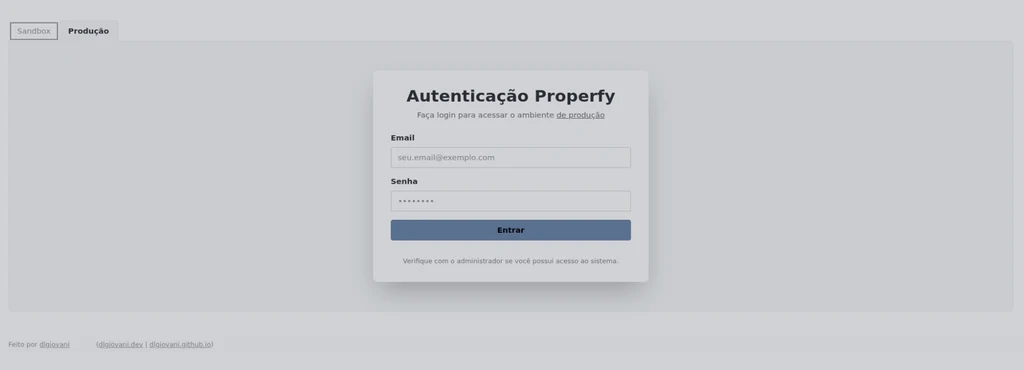
Signing in with the Properfy account
The tool has no users of its own. You sign in with Properfy credentials, and the permissions from there apply here.
The combined list
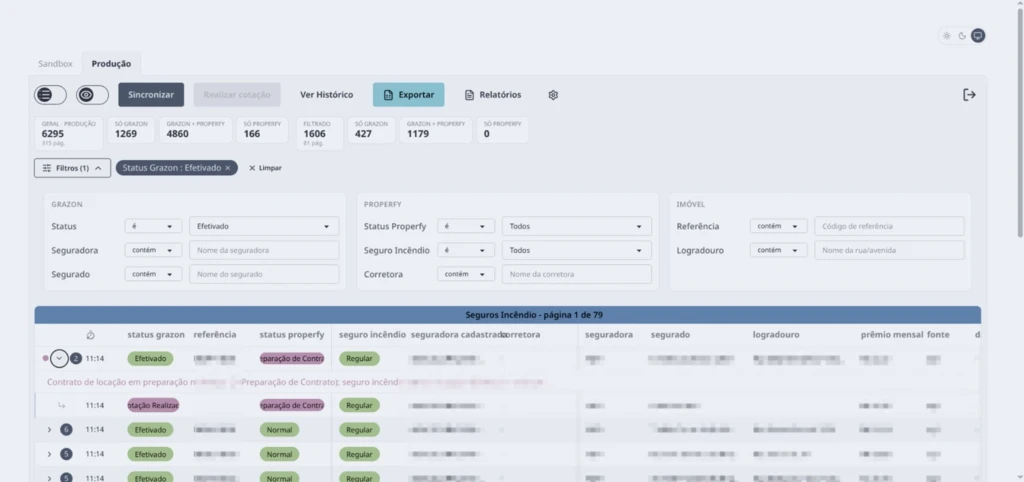
After syncing, policies appear in a list showing, on the same row, the status on the broker's side and the status on Properfy's side. The counters at the top split the book by what matters: how many exist only at the broker, how many in both, how many only in Properfy.
That last number is the one nobody can usually produce, and it is the one that names the uninsured tenancies.
Two environments, four palettes
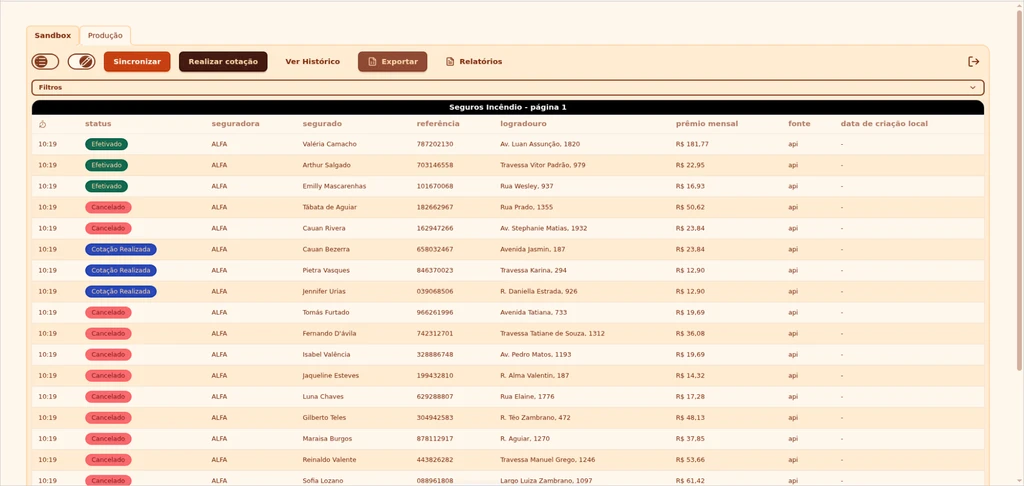
The tool has a production environment, with real data, and a test environment with fictitious data. Since the two look alike and do different things, the background colour changes with the environment, and each has a light and a dark variant chosen automatically from the computer's theme.
It is a cheap precaution against the most expensive mistake this tool could make, which is acting on production while believing you are testing.
Quoting without leaving the tool
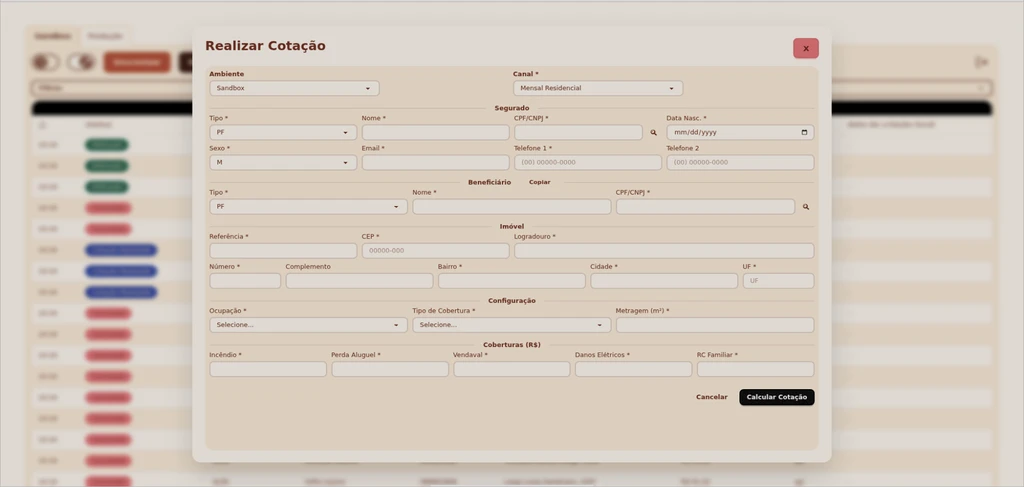
The quotation form mirrors what the broker requires. To avoid repeating the very transcription that prompted the project, the tax number looks the client up directly in Properfy and brings back the contracts found, and a button copies the insured party's details across to the beneficiary when they are the same person.
Dashboard and export
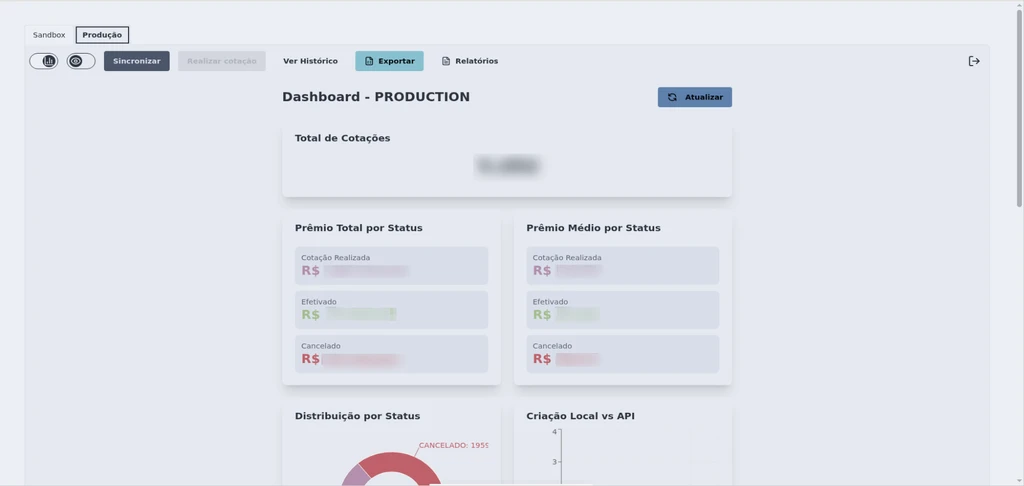
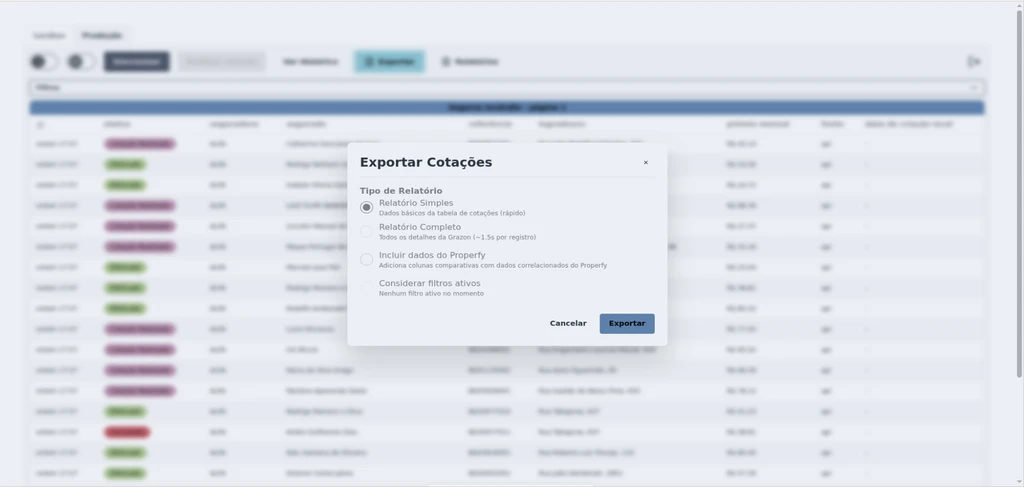
The dashboard summarises the book by status and by premium. Report export runs in the background and accepts the same filters as the list, which avoids generating the full report when the question is about a slice of it.
A complete production report can take over two hours, and that is not a flaw in the tool: it is how long the broker's API takes to return full contract data. It is worth telling the user before they start waiting, which is why it is written into the manual.
Decisions worth explaining
View mode by default. Actions that change data at the broker only become available once edit mode is switched on deliberately. Cancelling a proposal by accident costs somebody money.
Everything logged, globally and per item. Every action is recorded with the user, the moment, the method and a description. In a tool that writes into two third-party systems, the history is what lets you reconstruct what happened.
Documentation delivered with the product. I wrote the user manual alongside the tool, including the limitations that come from the broker's API and have no fix on my side. A tool only I know how to use is a dependency.
Deployment
The application runs on the client's own Linux server, which I also set up. It has its own database, which lets it keep history and comparisons that neither source system retains.