Automated comparison of insurance reports
A tool that sets the CRM's insurance report against the reports each insurer issues, and points out where the two disagree.
The problem
The agency records in its CRM the insurance attached to each tenancy. The insurers, for their part, issue their own reports periodically. When the two sides disagree, somebody is overpaying, underpaying, or holding a policy they believe exists and does not.
Checking this by hand is not realistic. There are thousands of records, the insurers' reports arrive in formats that differ from one another, some as spreadsheets and some as PDFs, and the name identifying a contract is not always the same on both sides.
The hard part was matching
The delicate question was not reading the files, it was deciding what counts as the same record. The CRM identifies a tenancy by the tenant. Some insurers only hold the property owner. The tool tries the tenant first and, where the insurer has no such field, falls back to the owner, marking in the output that the match was made that way.
What remains after that are the orphans, and they matter as much as the differences: a record in the CRM with no counterpart at the insurer may be cover nobody bought, and the reverse may be cover being paid for with no contract behind it.
How it works
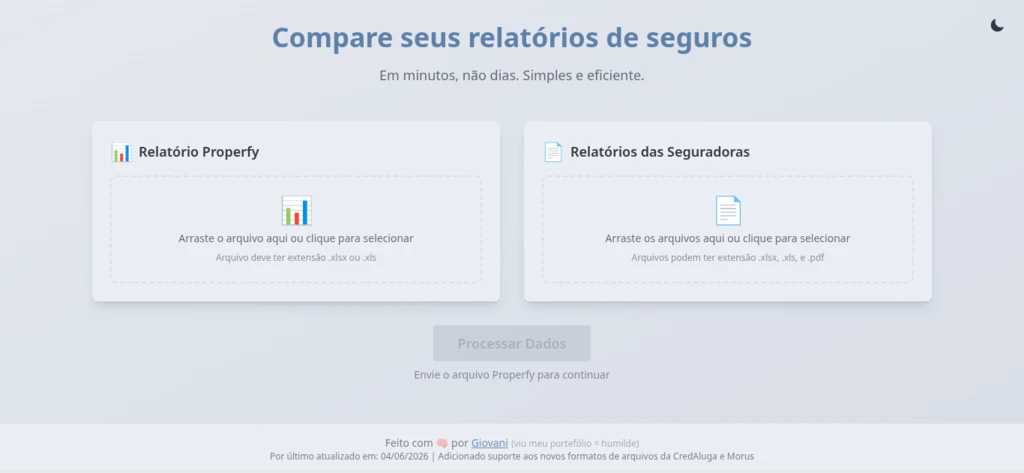
Loading the files
On one side the CRM report, as a spreadsheet. On the other, one or several insurer reports, which may arrive as spreadsheets or as PDFs. Each insurer has its own format, and the tool gained support for them as they turned up.
Summary before detail
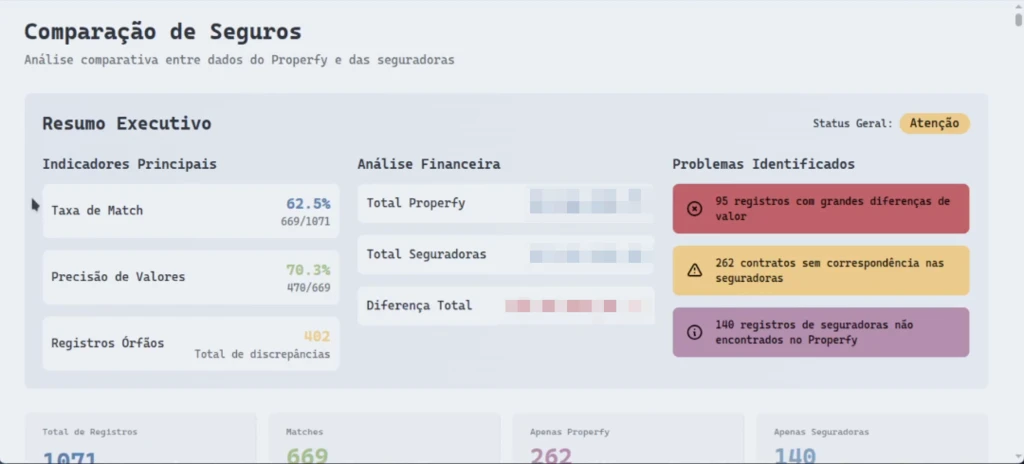
The result opens with the overall picture: what share of records found a match, how many of those also agree on the amount, and how many were left orphaned on each side. Problems are grouped by severity, because a difference of a few cents and a difference of several hundred euros do not call for the same response.
From summary to the individual case
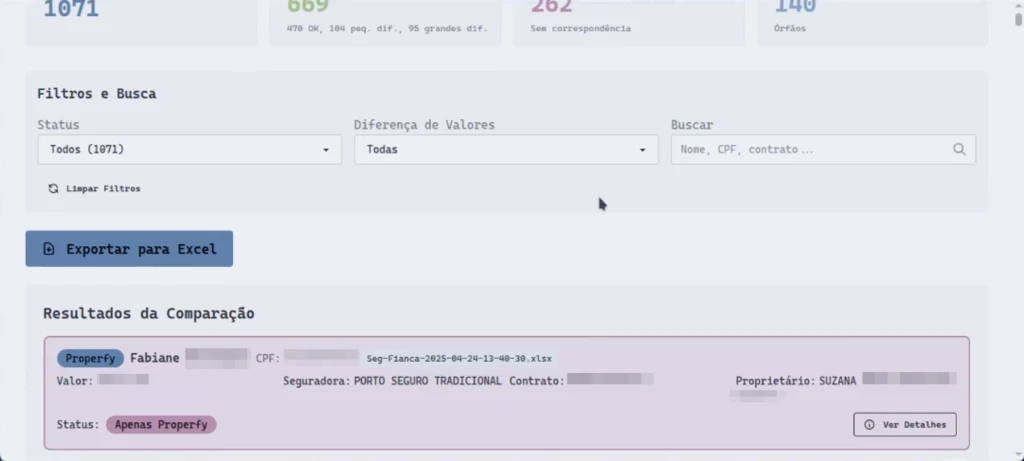
Below the summary sits the full list, record by record, with what the CRM says and what the insurer says. It can be filtered by status and by the size of the difference, and searched by name, tax number or contract, which is what you want when the doubt arrives already named.
Export to a spreadsheet closes the loop, because checking always ends up being teamwork and not everyone is going to open the tool.
How a match reads
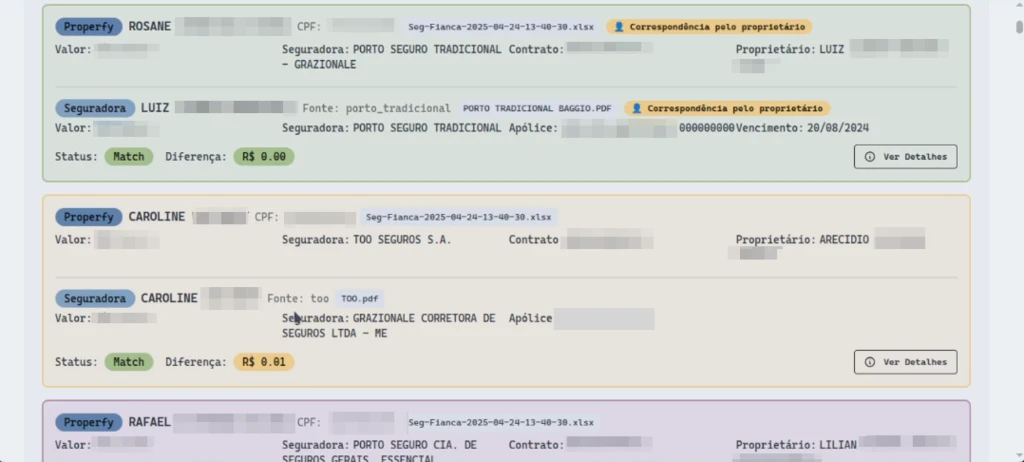
Each result stacks the two versions of the same contract, the CRM one and the insurer one, with the difference calculated between them. A label marks when the match was made on the owner rather than the tenant, which is the case worth a second look.
A green frame is a pair that agrees to the cent. An amber one is a pair with a small difference, here a single cent, which exists and is not worth a phone call.
Outcome
A reconciliation that in practice was not being done now fits into an afternoon. More useful than the speed, there is now a number: the share of records that match is known, and arguments about discrepancies stopped running on impressions.